
Build an AI Agent Without Coding: Your First One in 10 Minutes (2026)
Yes — you can build an AI agent without coding, and your first one can be running in about ten minutes. No Python, no APIs to hand-wire, no developer required. All you need is a no-code platform, a clear job for the agent, and the five-node recipe below. This guide gives you the exact build, the platform comparison with real 2026 prices, and the safety checklist that keeps beginners out of trouble.
Agent vs chatbot vs automation: the 60-second version
To build an AI agent without coding, first know what you’re building — because vendors slap “agent” on everything now:
| Chatbot | Automation | AI agent | |
|---|---|---|---|
| Decides steps itself? | No — follows a script | No — follows fixed rules | Yes — plans its own approach |
| Uses tools? | Rarely | Yes, in fixed order | Yes, chooses which to use |
| Handles surprises? | Fails or escalates | Breaks | Adapts within limits |
The test: give it a request it can’t answer without fetching something first. If it goes and fetches it, that’s an agent. If it says “I don’t have that information,” it’s a chatbot wearing an agent costume.
Pick your first job: the 4 rules
Your first agent should be: (1) repetitive — something you do weekly, like qualifying new enquiries; (2) reversible — nothing it does should be un-sendable (drafts, not sends); (3) bounded — one clear input, one clear output; (4) valuable enough to notice — saving 30 minutes a week is a real win.
Good first jobs: triaging incoming emails, qualifying website enquiries, summarising meeting notes into tasks, or drafting replies to common questions. Bad first jobs: anything that spends money, sends messages to customers, or touches your database unsupervised.
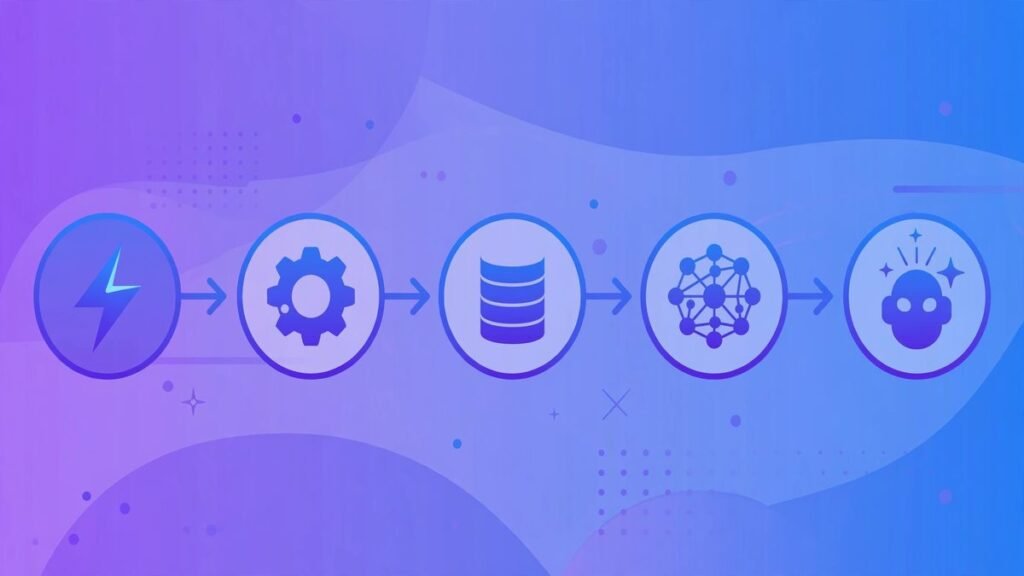
The 5-node recipe: build it in n8n (10 minutes)
We’ll build a lead-qualification agent in n8n — the most capable no-code agent platform, and free to self-host. Here’s the exact node chain:
- Trigger: add a “Webhook” or “Form Submission” trigger — this is the doorbell. Every new enquiry starts the agent.
- AI Agent node: add n8n’s “AI Agent” node. This is the brain — it receives the enquiry, decides what to do, and produces the output.
- Chat model: connect a model (OpenAI’s GPT, Anthropic’s Claude, or Google’s Gemini — you bring your own API key, billed pay-as-you-go separately from any chat subscription). Start with the cheapest capable model; you can upgrade later.
- Memory: attach “Simple Memory” so the agent remembers the conversation if the visitor replies twice. Agents without memory re-ask the same questions — embarrassing and easy to fix.
- Tool: give it one tool to start — e.g., a Google Sheets “append” so qualified leads land in your spreadsheet automatically. One tool, not five.
Now the secret ingredient — the system prompt (paste this into the AI Agent node and adapt it):
“You are a lead-qualification assistant for [your business]. Your job: ask the visitor three questions — (1) what they need, (2) their timeline, (3) their budget range. Be friendly and brief. Never invent pricing or services. When you have all three answers, summarise them and mark the lead HOT (ready now, budget fits), WARM (interested, timeline unclear), or COLD (just browsing). If unsure about anything, ask one clarifying question instead of guessing.”
Test it with three fake enquiries — one easy, one vague, one nonsense — before connecting it to anything real. That ten-minute test run is the difference between an agent and a liability.
The Zapier and Make alternatives
n8n is the most powerful, but not the only path:
- Zapier (~$19.99/month entry): the easiest on-ramp, with 7,000+ integrations. Its AI agent features are more guided and less flexible than n8n’s — ideal if you already live in Zapier.
- Make (~$9/month entry): the visual sweet spot — a beautiful drag-and-drop canvas with 2,000+ integrations, and AI agent modules that sit between Zapier’s simplicity and n8n’s depth.
- Free options for 2026: n8n self-hosted (Community Edition is free — you just pay ~$5–7/month for the VPS it runs on), Botpress (1,000 messages/month free), and Lindy (40 tasks/month free).
Important 2026 billing fact: n8n’s Cloud has no permanent free tier — it’s a 14-day trial, then paid plans (Starter ~$20–24/month). Self-hosting is the genuinely free route.
Platform cost comparison (2026)
| Platform | Entry price | How it bills you | Integrations |
|---|---|---|---|
| n8n (self-hosted) | Free (+ ~$5–7/mo VPS) | Per workflow execution | 400+ native, any API |
| n8n Cloud | ~$20–24/mo Starter | ~$20–24/mo | 400+ native, any API |
| Zapier | ~$19.99/mo | Per task | 7,000+ |
| Make | ~$9/mo | Per operation | 2,000+ |
Billing models matter more than headline prices: an agent that loops and retries can burn through per-task billing fast. Per-execution (n8n) is usually the cheapest way to run agents that think in loops.
The 10-minute guardrails checklist
Before your agent touches anything real, run this checklist — it takes ten minutes and prevents 90% of beginner disasters:
- Draft, don’t send: for the first two weeks, your agent writes outputs (emails, replies, sheets rows) for your approval — nothing goes out unsupervised.
- Least privilege: the agent’s tool connections get the minimum access needed. A lead agent needs “append to one sheet,” not “full access to my Drive.”
- Test on dummy data: run ten test enquiries, including weird ones — spam, insults, a request in another language. Watch what it does.
- Set a spending cap: put a monthly limit on your AI API key. A looping agent with an uncapped key is the classic beginner bill shock.
- Log everything: keep the agent’s inputs and outputs in a sheet for the first month. When something odd happens — and it will — you’ll want the tape.
Your second agent
Once the lead qualifier runs cleanly for two weeks, your second agent writes itself: take the next most repetitive bounded job on your list. Common second builds: a meeting-notes-to-tasks agent, a review-responder that drafts replies for your approval, or a content-repurposing agent that turns one post into five. Each one gets faster to build, because the recipe never changes — trigger, brain, model, memory, tool.
Conclusion
To build an AI agent without coding in 2026, you need five nodes, one good system prompt, and ten minutes — not a computer science degree. Start with a reversible, bounded job; draft before you send; cap your spending; and let the agent earn its autonomy over weeks, not minutes. The businesses pulling ahead aren’t the ones with developers. They’re the ones whose owners built their first agent on a Tuesday afternoon.
FAQs
Can I really build an AI agent without coding in 2026?
Yes. No-code platforms like n8n, Make, and Zapier let you build AI agents with a visual node editor — no programming required. The standard recipe is five nodes: a trigger, an AI Agent node, a chat model, memory, and one tool. A beginner can have a working lead-qualification agent running in about ten minutes.
What is the cheapest way to build an AI agent without coding?
The cheapest route is n8n’s self-hosted Community Edition, which is free software — you only pay ~$5–7/month for the VPS server it runs on. Free-tier alternatives include Botpress (1,000 messages/month) and Lindy (40 tasks/month). Note that n8n Cloud has no permanent free tier as of 2026.
Do I need an OpenAI API key to build a no-code AI agent?
Yes, in most cases — the AI Agent node connects to a language model via an API key, which is billed pay-as-you-go and is separate from any ChatGPT subscription you may have. Start with the cheapest capable model and set a monthly spending cap on the key to avoid surprise bills.
What is the difference between n8n, Zapier, and Make for AI agents?
n8n is the most powerful and cheapest for agent-style loops (bills per workflow execution; ~$20–24/month cloud, free self-hosted). Zapier is the easiest with the most integrations (7,000+, ~$19.99/month, bills per task). Make sits in the middle with a visual canvas and 2,000+ integrations (~$9/month, bills per operation).
Are no-code AI agents safe for a small business?
No-code AI agents are safe when you follow the guardrails: start in draft mode (nothing sent unsupervised), grant minimum tool permissions, test with dummy data, cap API spending, and log all outputs for the first month. The dangerous setup is an unsupervised agent with full account access and an uncapped API key.